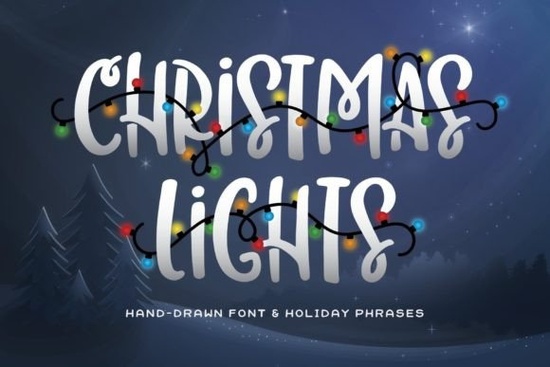
If you're looking for a festive, eye-catching font that works well for holiday cards, social media graphics, or printable decor Christmas Lights Font is a straightforward choice. It’s a bold, all-caps display font with built-in charm: each letter feels like it’s strung with tiny bulbs, and the pack includes ready-to-use holiday words like “Joy,” “Noel,” and “Merry” already decorated with glowing light effects. No extra design work needed. It’s especially handy if you’re short on time but still want polished, seasonal visuals.
Who is this font best for?
This isn’t a multipurpose text font it shines where impact matters most. Print-on-demand sellers use it for mugs, tote bags, and wall art because the thick, friendly shapes hold up well at larger sizes. Crafters layer it over scrapbook layouts or cut it from vinyl for ornaments and window decals. Small business owners add it to email headers or Instagram story banners during November and December to signal the season without saying a word. Designers who pair it with simpler sans-serifs (like Montserrat or Poppins) find it balances playfulness with readability.
What’s actually included in the download?
The Christmas Lights Font pack comes as a standard .zip file with:
- The main OTF/TTF font file (works in Canva, Cricut Design Space, Silhouette Studio, Adobe apps, and most desktop software)
- A set of 12 pre-designed holiday words each with string-light embellishments baked right in
- Basic instructions for installing and using the font (no tech jargon)
No subscription, no hidden fees. You buy once, use forever even commercially, as long as you follow Creative Fabrica’s standard license terms.
How does it compare to other holiday fonts?
Unlike script fonts that lean cursive or handwritten (like Dream Wish or Randy Sofia), Christmas Lights Font keeps things clean and graphic. It’s closer in spirit to Dirty Stroke but friendlier and more holiday-specific and less playful than Winky Swing, which has bounce and swing. If your project needs instant warmth and clarity not whimsy or elegance this one fits neatly into that gap.
Can I mix it with other fonts?
Yes and it works best when paired intentionally. Try setting a headline in Christmas Lights Font and body text in a neutral sans-serif. For example: “Merry” in Christmas Lights, followed by “Happy holidays from our family to yours” in Open Sans. That contrast gives focus without clutter. Avoid stacking it with other decorative fonts (like multiple light-themed or glitter fonts), since the effect can feel overwhelming. One strong seasonal voice is usually enough.
Where do people commonly use it?
Real examples from users include:
- SVG files for Cricut holiday card templates
- Printable advent calendar headers
- Instagram carousel slides announcing holiday shop hours
- Vinyl-cut signs for small café windows (“Hot Cocoa Bar Open!”)
- PDF party invites with editable text fields
It’s not ideal for long paragraphs or small labels stick to headings, short phrases, and display use. And if you’re making SVGs, remember to outline the text before saving, so the light effects stay intact across devices.
Any tips before downloading?
Check your software compatibility first some free design tools (like older versions of Canva) don’t support custom fonts unless you’re on a paid plan. Also, preview how the light decorations render at your intended size: they look great at 72pt+, but finer details may blur below 36pt. If you like this style but want something slightly more versatile year-round, consider pairing it with Christmas Lights Font alongside a simple serif for balance.
Before you start designing:
- ✅ Install the font before opening your design app
- ✅ Test print or export a small sample first
- ✅ Use the included holiday words as-is or type your own text and apply the font manually
- ✅ Keep color choices simple: classic red/green, navy/gold, or black/white let the lights stand out
- ❌ Don’t stretch or skew the font it breaks the light alignment
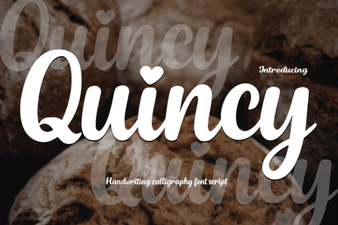 Quincy Font for Modern Web Design Projects
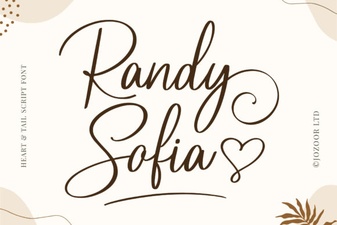 Randy Sofia Font: Creative Ideas & Download Guide
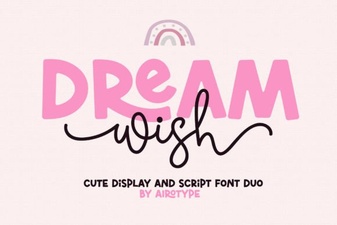 Dream Wish Font: Creative Design Ideas & Tips
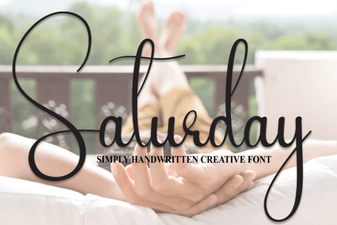 Saturday Font: Creative Designs for Your Weekend Projects
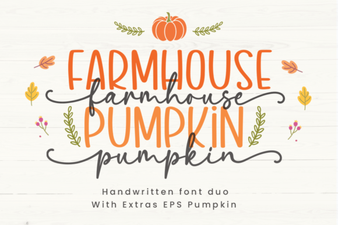 Create Projects with Farmhouse Pumpkin Font Designs
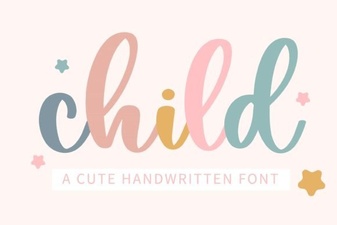 Best Fonts for Kids to Read & Write with