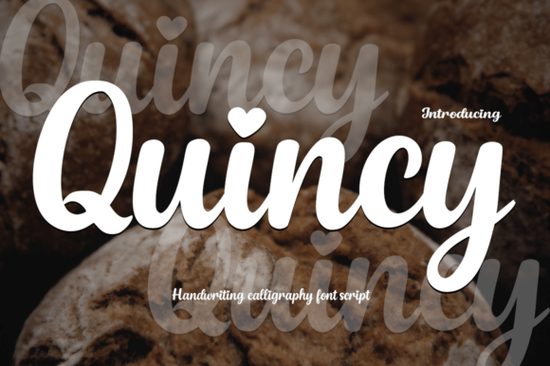
If you're looking for a modern calligraphy font that feels personal and polished without being overly formal or fussy you’ll likely enjoy Quincy Font. It’s a smooth, handwritten-style script with elegant curves and a gentle rhythm that works well across both digital and print projects. What makes it stand out isn’t just its refined look, but small thoughtful details like the subtle heart-shaped dots on the “i” and “j.” That tiny touch adds warmth without tipping into cutesy, making it especially useful if you’re designing wedding stationery, boutique branding, or heartfelt social media graphics.
When does Quincy work best?
Quincy shines in contexts where tone matters as much as typography. Think of it as the kind of font you’d choose when you want your design to say, “I made this with care” not “I picked the trendiest option.” It pairs naturally with soft color palettes, minimalist layouts, and hand-drawn elements. You’ll see it used often for:
- Wedding invitations and vow quotes
- Small business logos (especially for boutiques, bakeries, or wellness brands)
- Instagram story text overlays and Pinterest quote pins
- Print-on-demand mugs, tote bags, and greeting cards
- Hand-lettered-style blog headers or email newsletter banners
It’s not meant for dense body text or technical documents but that’s okay. Good script fonts aren’t supposed to do everything. Quincy knows its role: to add personality and emotional resonance where it counts.
What about the bonus font Playtoon?
Alongside Quincy, you get Playtoon, a bold, cartoon-style display font with expressive shapes and generous spacing. It’s the kind of typeface that brings energy to kids’ activity sheets, playful shop signage, or illustrated book covers. Where Quincy is quiet confidence, Playtoon is cheerful enthusiasm and having them together gives you range. You can use Quincy for a gentle headline (“Welcome to Our Story Time”) and Playtoon for the subhead (“Let’s Read & Giggle!”) without needing to hunt down two separate licenses.
How does Quincy compare to other script fonts?
Unlike some highly ornate scripts that require OpenType features to access alternate characters, Quincy works smoothly right out of the box in most design apps even basic ones like Canva or Cricut Design Space. Its letterforms connect naturally, and spacing feels balanced without manual tweaking. If you’ve tried fonts like Farmhouse Pumpkin (rustic charm), Saturday (casual weekend energy), or Christmas Lights (festive sparkle), you’ll notice Quincy sits somewhere between them: more structured than Saturday, less thematic than Christmas Lights, and softer than Farmhouse Pumpkin. It’s versatile not tied to one season or aesthetic.
You might also like Dream Wish if you prefer a lighter, airier script, or Dirty Stroke if you want visible texture and sketch-like imperfection. But Quincy fills a specific gap: modern elegance with approachability. It doesn’t shout. It invites.
Who’s using Quincy right now?
We’ve seen crafters use it for printable baby shower invites, small-batch candle makers pairing it with botanical illustrations, and educators designing classroom posters that feel warm and inclusive. One Etsy seller told us they switched from a generic script to Quincy for their custom quote prints and saw a 20% increase in repeat buyers citing “the font felt like it was made just for me.” That’s not about magic it’s about intentionality in type choice.
It’s also beginner-friendly. No need to master ligatures or stylistic sets unless you want to. The standard character set covers uppercase, lowercase, numbers, and common punctuation and it includes multilingual support for Western European languages, which helps if you serve bilingual audiences.
A quick note on licensing
The license covers commercial use including POD platforms like Redbubble or Printful as long as you’re embedding the font in static designs (not selling the font file itself). You can use it in client work too, which makes it practical for freelancers and small studios.
Before you download:
- Check that your design software supports .OTF or .TTF files (most do)
- Preview how Quincy renders at smaller sizes some script fonts lose clarity under 24pt
- Try pairing it with a clean sans-serif (like Montserrat or Poppins) for contrast in layouts
- Test Playtoon at larger sizes first it’s designed to shine big, not small
- Save a version of your file with outlines (in Illustrator) or flattened text (in Canva) before sending to print
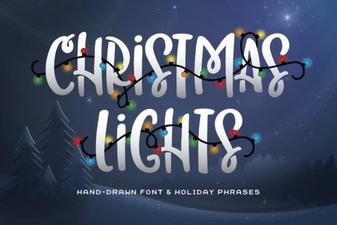 Illuminate Your Designs with Festive Christmas Lights Fonts
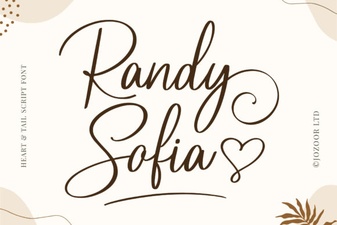 Randy Sofia Font: Creative Ideas & Download Guide
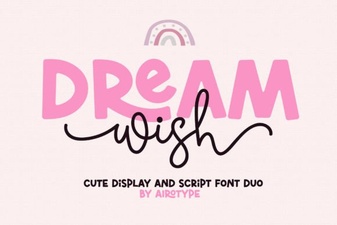 Dream Wish Font: Creative Design Ideas & Tips
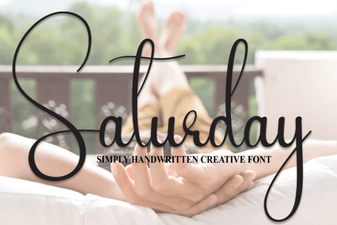 Saturday Font: Creative Designs for Your Weekend Projects
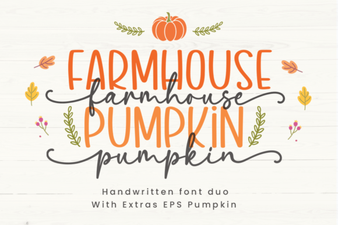 Create Projects with Farmhouse Pumpkin Font Designs
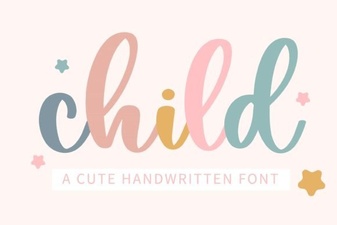 Best Fonts for Kids to Read & Write with